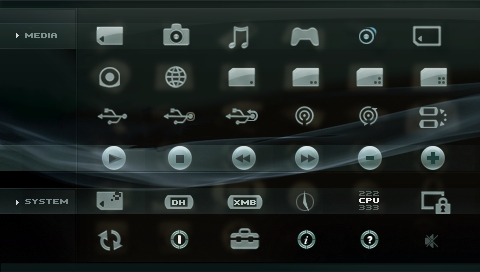
iR Shell 4.7: 5.00 M33 Compatibility, Revamped iR Sensor

Posted by x3sphere at November 10, 2008, 11:07 am


As promised, iR Shell 4.7 is here, bringing with it much-requested compatibility with 5.00 M33 series firmware. Developer AhMan notes that the infrared sensor feature has been revamped for ease of use, no longer requiring the installation of specific pronto codes. Additionally, compatibility with UMD titles over NetHostFS operating mode has been enhanced and it is now possible to directly launch SWF format flash games.

For the full changelog on version 4.7 of this excellent shell replacement for PSP, hit the break.

* Support Dark_AleX latest 5.00M33-3 CFWs. Users of original 5.00M33 & M33-2 should upgrade to M33-3 to avoid incompatibility issues. The latest Popsloader 5.00 is also supported.
* An Infra-Red learning remote is added for PSP Phat. You no longer need to hunt pronto codes for your appliances. Just point your remote unit at the PSP and it will learn the iR code. It is available under higher firmwares and not fw 1.5 mode. Refer to the Release Note for usage details.
* The nethostfs connection handling has been redesigned to be more robust. However, iR Shell 4.7 and onwards can only connect to the new nethostfs PC server v2.1. Make sure you’ve updated the nethostfs PC server.
* Enhance UMD/ISO game compatibility via nethostfs MAX mode. Most previous failed games will probably work.
* Usbhostfs & nethostfs host redirection under XMB has returned.
* The Adhoc PC connection for nethostfs was broken since fw 3.71. This feature has been brought back for PSP Phat.
* Enhance the HTML Plugin (by Dark_AleX) to allow direct launching of flash games with extension SWF.

Detailed installation and usage instructions can be found in the included readme file.

Download iR Shell 4.7

iR Shell 4.7 Released [iRShell]

Read moreiR Shell 3.61 Update, iR Shell 3.7, iR Shell 3.8, iR Shell 4.9, iR Shell 4.92 Released, Adds LEDA Interoperability

Comments

B2K24 says:

OMG x3sphere I love that backround + wave.
Is that defaulted after IR Shell is installed?
If it happens to be your PSP which theme is that?


Thanks AhMan, I thought IR Shell was history
im glad to be able to load it on my PSP's again
Thank you!!!


Oh I forgot I wonder if I will still be able to use PSPStates plugin with this.
I guess I will backup my data and give it a go.

x3sphere says:

It's not the default, but the theme is called "exembe." It was released for an earlier iR Shell version, though, so I'm not sure if it works with the latest. You can download it here:

http://www.sendspace.com/file/ewl870

echonoise says:

Holy crap. Learning IR Codes. Thats awesome as, finally I can get rid of my 5 controllers that universal remotes can't pick up >_

jx233 says:

any news on 4.01 M33-2 compatibility?

because i have 4.01 M33-2 in TimeMachine from ms0:/TM/DC6

ejelle says:

i already downloaded this irshell but i dont think i have the "Pronto Hex Code" the download site is down.. where else can i download it?


how can the universal remote learn the ir codes of my tv.. how will i do it?? wah i want to use it..


weeee

Ecko says:

This support 4.01 M33-2?

jx233 says:

4.01 M33-2 is supported, i read about that on ConsoleSpot.net Forums

Here is what CFW I read works:

-3.90 M33-3 supported

-4.01 M33-2 supported

-5.00 M33-3 (not 5.00 M33-1 or M33-2)

its nice to have 4.01 M33-2 compatibilty :w00t:

B2K24 says:

Thanks X3 for sharing !!!

ejelle the readme tells you how the PSP can learn codes.
It's easier to set your own keys etc. then messing with a bundled download of hundreds of models you don't have access to.

kg1212 says:

does this work on 5.00 m33-4

x3sphere says:

Yes it does.. you actually need at least 5.00 M33-3 to run it.

red_men29 says:

how to install this on your psp? its my first time here.

jx233 says:

1. OK, unzip the file you downloaded.

2. find the IRSHELL folder and copyit into X:/IRSHELL (X is the MemoryStick root)

3. Find the folder "PSP", and in it find "GAME" folder, and copy ir3x folder into the "GAME" folder.


*If you have Official Firmware, then this will not work.

qhfka55 says:

잘부탁해요~~~

qhfka55 says:

잘부탁해요~~

qhfka55 says:

redgvdvfdhmnhj

qhfka55 says:

잘부탁해요~~~

qhfka55 says:

i already downloaded this irshell but i dont think i have the "Pronto Hex Code" the download site is down.. where else can i download it?


how can the universal remote learn the ir codes of my tv.. how will i do it?? wah i want to use it..


weeee

utkarsh_for_you says:

utkarsh

utkarsh_for_you says:

how can i download ir shell in my psp

mortalinstincts says:

Copy it to ms0:/PSP/GAME and then run it from your XMB in 'Memory Stick'

Theres a new version of IRshell - 5.0, try that first...

you say:

Login with your username and password below. New User?


ss_blog_claim=bf55edcce6ff2f078693a24c8876e229