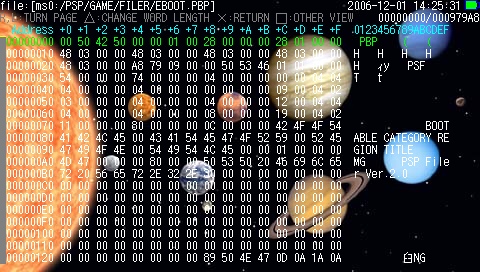
Update: PSP Filer 5.1+

by Mike Bendel on May 20, 2008 @ 5:36 pm


Update: Mediumgauge has issued a minor maintenance update to PSP Filer, notably fixing a bug that would crash Filer when opening 0 byte files using the newly added binary editor. That being said, it’s recommend to install this update as soon as possible.

Homebrew developer Mediumgauge has released an update to PSP Filer, a powerful yet easy-to-use file management application designed specifically for the PSP. By using PSP Filer, users can easily edit, copy, delete, and transfer files on the memory stick and flash memory.

Version 5.1 features the addition of a built-in editor for binary type files, and allows users to connect to their PC via USB connection from within the application.

Download PSP Filer 5.1+

Release Thread

Follow this author on .

Around the web:

Read morePSP Filer 5.6: Flash Memory Access On 4.X KernelPSP Filer 5.9PSP Filer 4.4PSP Filer 4.7 – Read-only RAR SupportPSP Filer 4.8

Comments
CoMbiNa says:

Finaly USB yay:D

Keep up the good work

neutrOpik says:

Yeah, tanks for your great work mediumgauge. It's realy appreciated.

keep up!

mediumgauge says:

I am sorry I have to declare to have fixed some bugs.

Use 5.1+ instead.

2008/05/21

version 5.1+:MD5=F0D8A91A 68AD2FCA 76D672A5 D5E887C4

 ○全般

  ・5.1で出現していた、CFWのバージョンによってはカーネル3バージョンが

   起動できなかったバグを修正した。反面、カーネル3でのUSB接続は、CFW

   のバージョンによっては機能しなくなることがある。

 ○バイナリエディタ

  ・0バイトのファイルを開くと落ちていたバグを修正した。

general:

- fixed a bug that the kernel3 Filer could not run under some kind of CFW version (that caused in 5.1 only). Instead, in those CFW, 5.1+ of kenel3 Filer cannot run USB feature.

binary editor:

- fixed a bug that Filer crashed when it opens 0 byte file.

RJC4LIFE says:

I love this app,any hopes of one day adding paasword and archive support to rar?

neutrOpik says:

yes, rar support is a good idea :)

tanks again mediumgauge

Illegal Machine says:

when are you going to reactivate the Flash Memory Maintenance? I liked those .IMG files that can restore the PSP in a flash.. I also liked keeping filer in the RECOVERY folder.. Made things a little handy, and made me feel safer..

chemist says:

Thank you.

This homebrew app is always on my psp.

vampiresnake says:

hi friends

when i run filer on my psp i see this error :

the game could not be started

(80020148)

what should i do ?

i do this copy filer folder into ms0:/psp/game150/

but i dont know what this means :

and create ms0:/psp/game/ folder

i have psp slim frimware 3.90 m33-2

thanks from you .

CoMbiNa says:

copy kernel3 folder to:

X:/PSP/GAME

you say:

Login with your username and password below. New User?


Quantcast